01
FOR THE THINGS YOU CARE ABOUT
Keep plans for work, home and everything between.
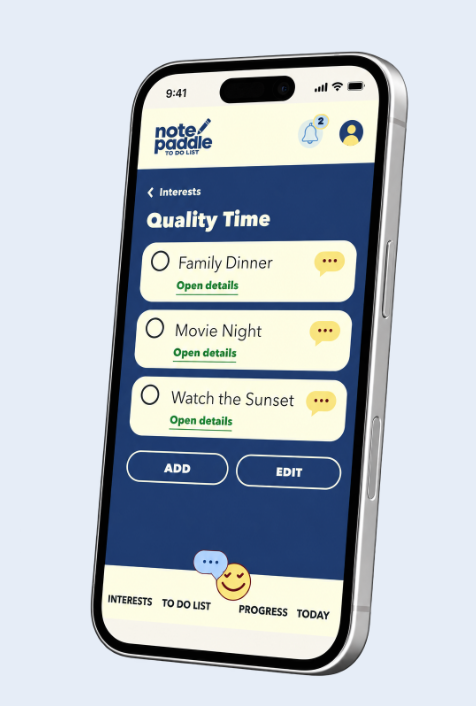
Plan errands, appointments, household jobs, hobbies and personal goals without scattering the details across paper scraps and different apps.
Record instructions and ideas, organize tasks and reminders, and use AI Chat or voice conversations to work through decisions.
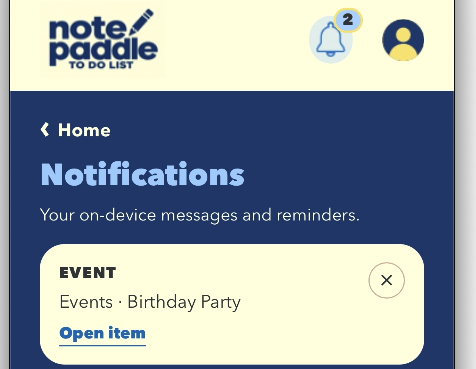
Keep everyday to-dos, dated reminders and events in view. The daily overview shows what needs attention, while notifications and completion percentages help you follow through. AI Chat gives you another way to work through questions as they arise.

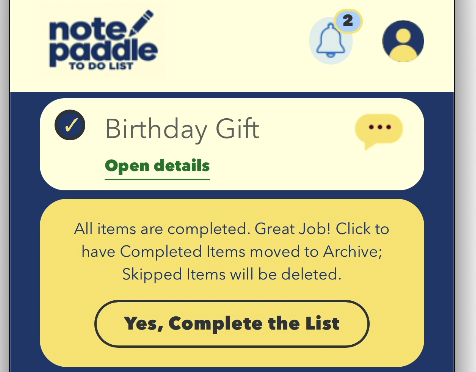
Plan errands, appointments, household jobs, hobbies and personal goals without scattering the details across paper scraps and different apps.
Add an item, update its details, skip what can wait, and mark completed work as done. Your list can change with your day.
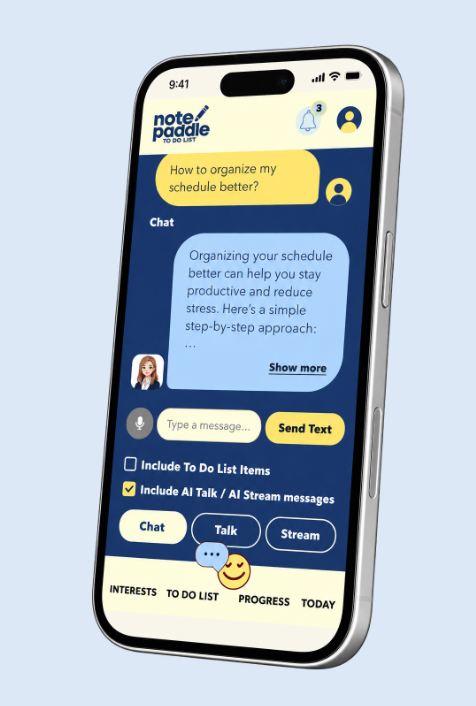
Use AI Chat for text questions, AI Talk for spoken conversations, and AI Stream for interactive voice-based list management where available on your plan.
A task can hold the details you need to act: notes, phone numbers, text messages and website links. Add dates where needed, then keep an eye on what is complete and what is still pending.
Choose Item , Reminder or Event for each entry. Set a date and time for Reminders and Events.
Save note details , a phone number , a text message , and an website link with each individual to do item.
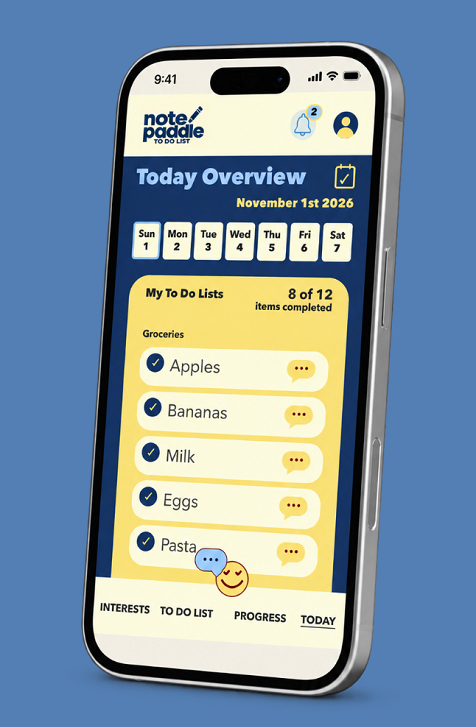
Organize your to do lists for the day, see what needs attention, and mark tasks as completed , skipped , or deleted .
Quickly update your daily to do lists as plans change - glance at schedule to track of what you need to complete.
Keep a running record of everyday tasks and useful details while AI helps you think through questions and decisions. Check your progress as you go.
See the to do items you want to finish today, prioritize what matters, and update your list as plans change. Mark items completed, skip what can wait, or delete tasks you no longer need.
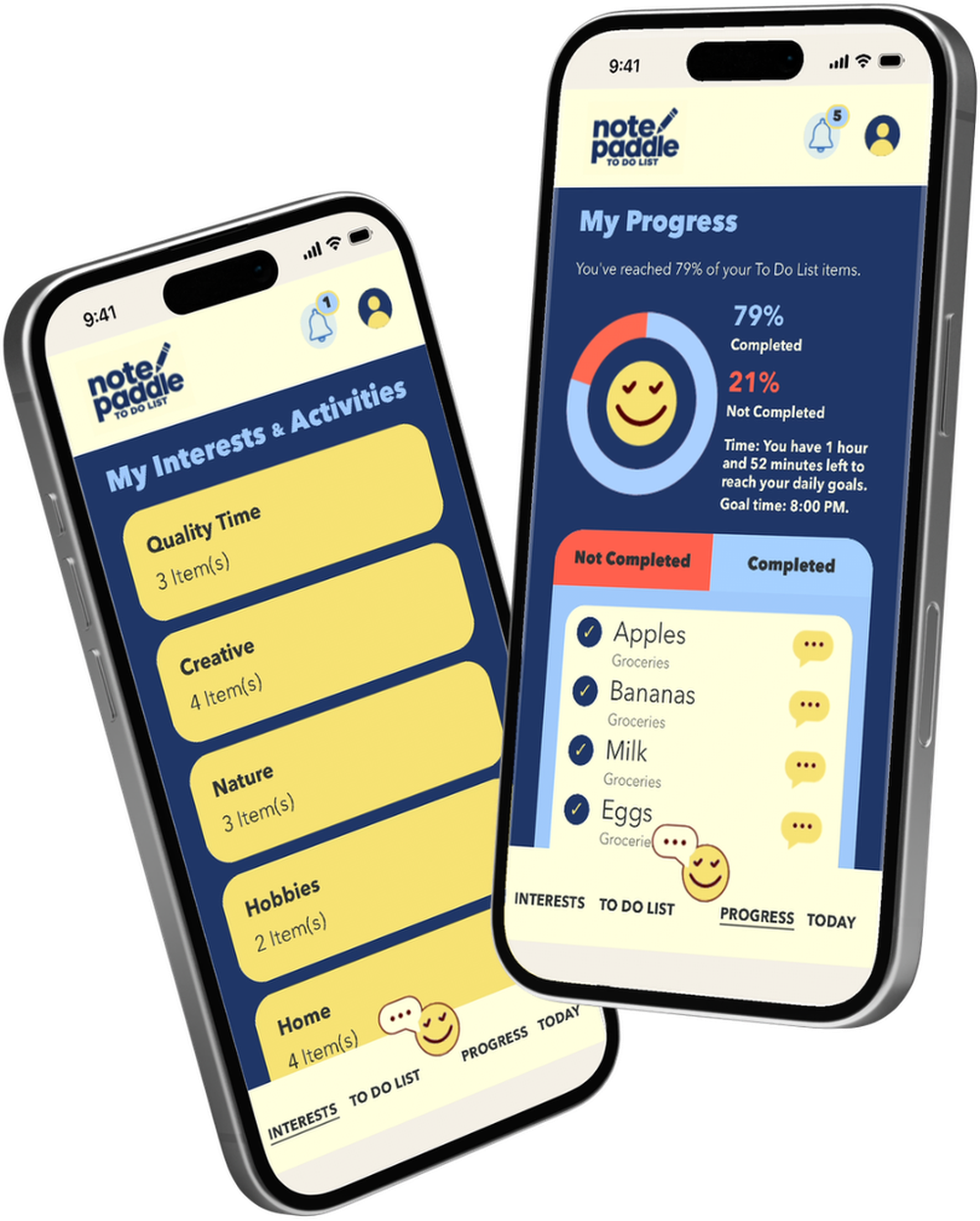
Check the Progress page for the percentage of to do items completed and the percentage still to complete. It’s a simple way to recognize what you’ve accomplished and see what’s next.
Save notes, phone numbers, text messages and website links with each to do list item, so important details stay connected to the task that needs updating.
Start with AI Chat, add natural voice conversations with AI Talk, or use interactive AI Stream to read and manage list items by voice. Choose the level of assistance that matches your routine.
Ask questions in text, work through a decision, and get AI help thinking through a to-do or next step.
Use text or your voice to talk through an errand, an open question, or the next practical step on your list.
Go hands-light with AI Stream: have your list read aloud and verbally add or delete items using Begin Note Taking.
Plan prices, available credits and purchase terms are shown in the app and your device's app store before you subscribe.
Yes. The app is designed for iPhone and Android phones. Official store links are below.


Both. Write quick notes and keep practical details inside list items. Add reminders and events, review progress, and use AI Chat, AI Talk or AI Stream according to your subscription.
Visit our contact page to reach app support.
Basic includes text AI Chat. Regular includes AI Chat plus spoken AI Talk. Premium includes both along with interactive AI Stream and its Begin Note Taking feature, for reading, adding, and deleting to do items by voice.
The Progress page shows percentages for items you have completed and items still to complete, giving you a quick overview of your daily to do list progress.
From groceries to bigger projects, take your notes, plans and AI assistant with you on iPhone or Android. See the app store for availability and subscription details.
App Store and Google Play listing links are the official links to download and install the NotePaddle App.